giving at harvest
"You must each decide in your heart how much to give. And don’t give reluctantly or in response to pressure. For God loves a person who gives cheerfully."
2 Corinthians 9:7
2 Corinthians 9:7
ONLINE GIVING OPTIONS
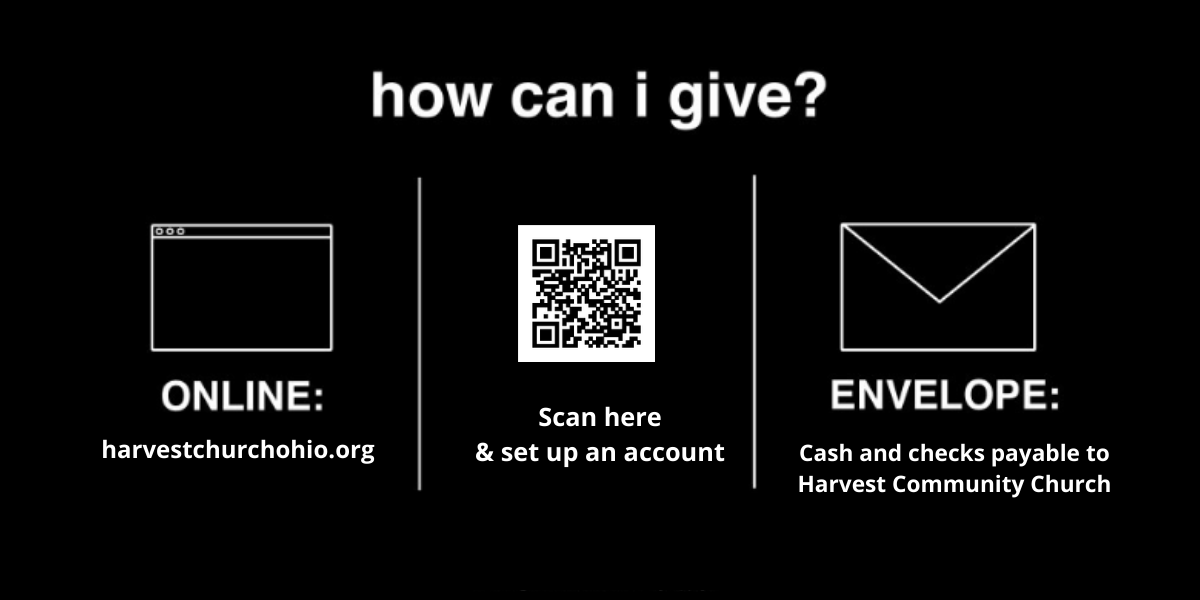
Choose which option works best for you:
Choose which option works best for you:
|
|
Need to set up an online account?
If you have never given online (or registered for an event), you will need to set up an account and you can add an icon to your phone's home screen as well, if you would like to just click on it in the future.
Please open your camera and scan the QR code above or click on the button below to take you to a website link. Need help? To the left is a video that will give you step by step instructions on how to create an account. |
I don't have a smartphone...
Once your account is set up:
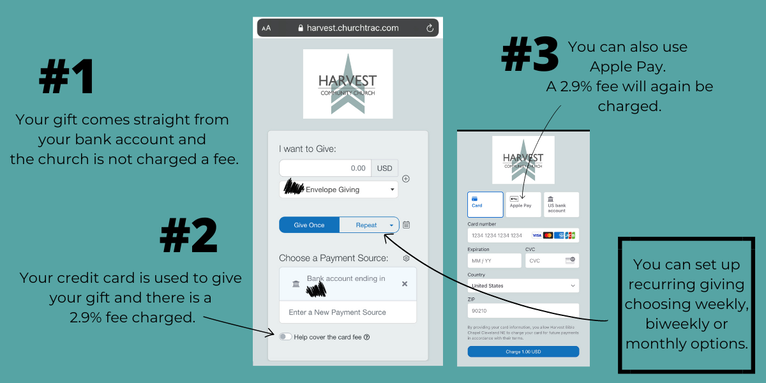
There is 3 ways that you can give to Harvest on your Churchtrac account.
Frequently asked questions:
1. How do I scan the QR code with my phone if I am trying to add or use the app on my phone?
You have to use the QR code from another source. Open up your computer and use the QR code from your computer screen. We will also have the QR code at different locations around the church and on the service guide.
2. I do not have a smartphone. What do I do?
You can still access the online giving option via a website page. Click this link to access Church Connect on your computer: https://harvest.churchtrac.com
3. I am trying to use my smartphone but it is not working? The QR code doesn't do anything.
Download a free QR code reader from your app store and try again!
4. I have a giving platform already set up. Why would I need a new one?
As of September, our PushPay account will close and our old app will no longer exist, so you want to get set up with the new platform.
You have to use the QR code from another source. Open up your computer and use the QR code from your computer screen. We will also have the QR code at different locations around the church and on the service guide.
2. I do not have a smartphone. What do I do?
You can still access the online giving option via a website page. Click this link to access Church Connect on your computer: https://harvest.churchtrac.com
3. I am trying to use my smartphone but it is not working? The QR code doesn't do anything.
Download a free QR code reader from your app store and try again!
4. I have a giving platform already set up. Why would I need a new one?
As of September, our PushPay account will close and our old app will no longer exist, so you want to get set up with the new platform.
anOTHER giving option:

Donation checks can be mailed to:
Harvest Community Church
36400 Maplegrove Road
Willoughby Hills, Ohio 44094
Harvest Community Church
36400 Maplegrove Road
Willoughby Hills, Ohio 44094